
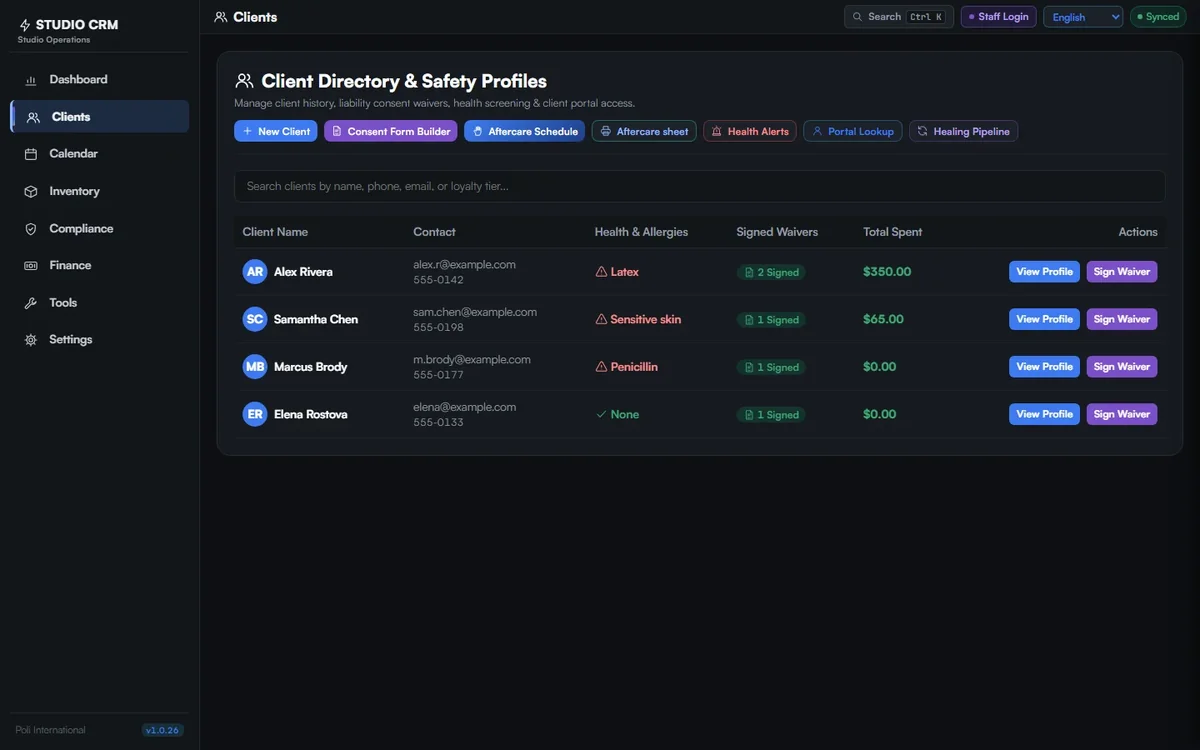
Clients and their safety profile
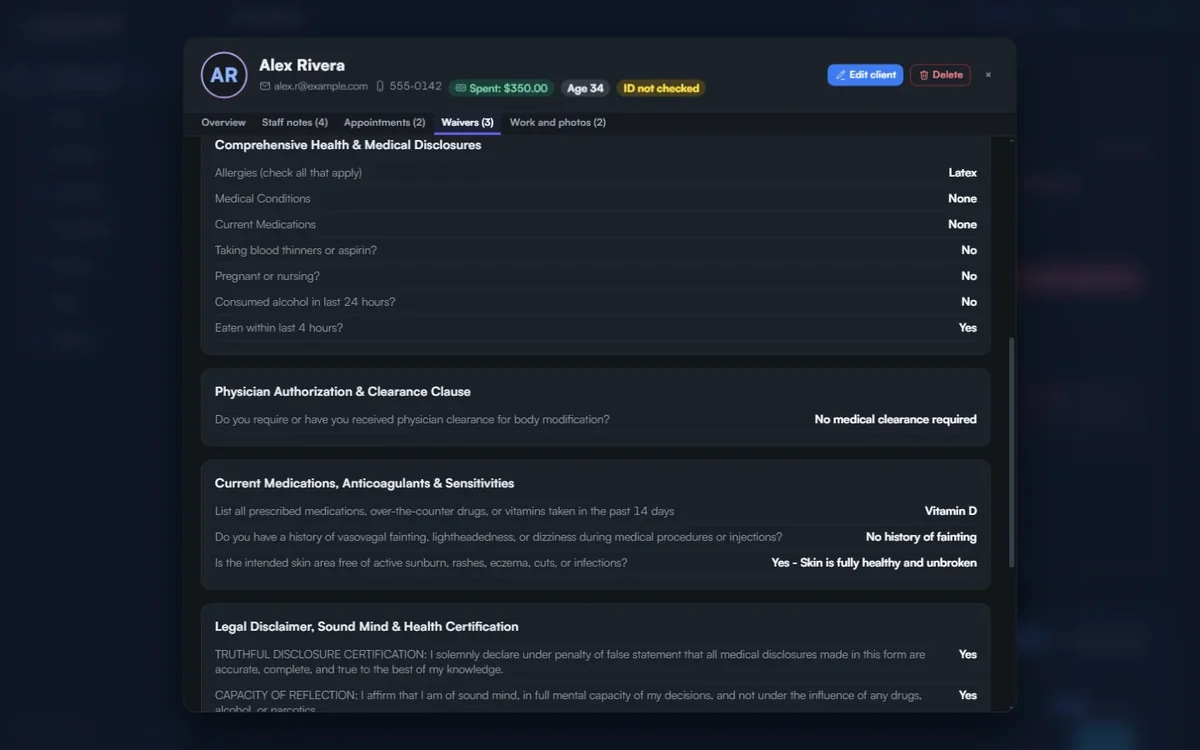
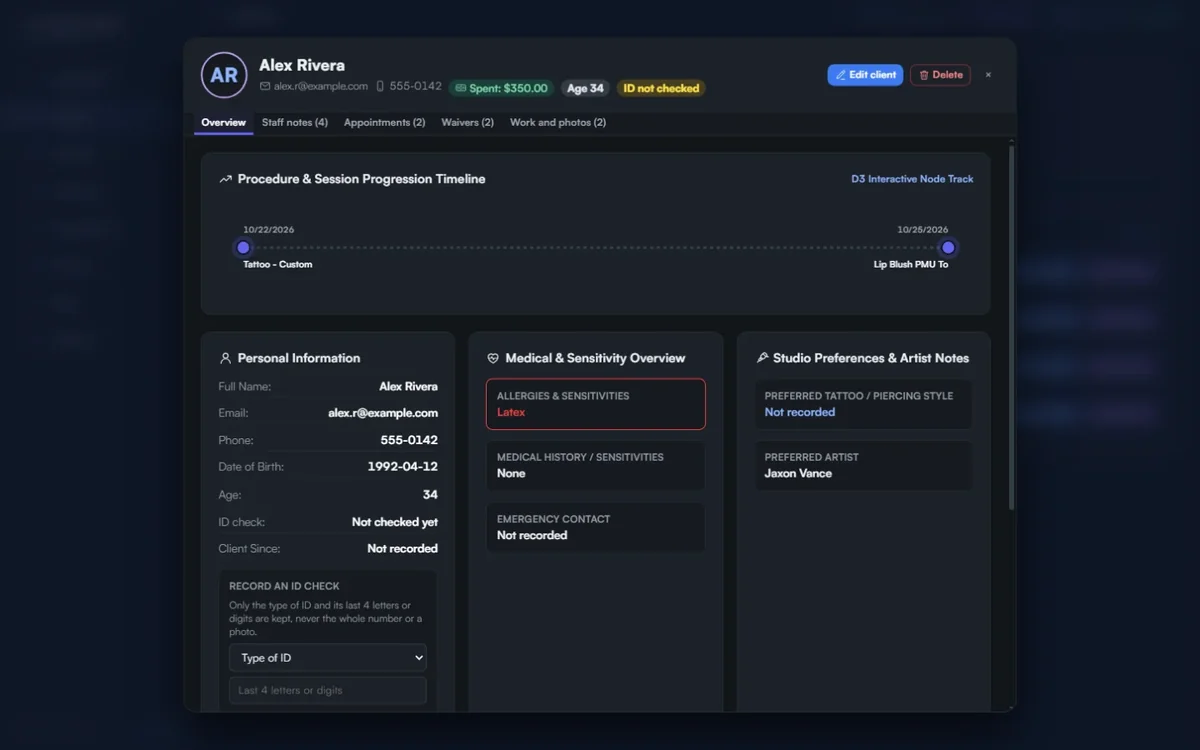
- Allergies in red on the client list, before the client sits down
- Signed forms, appointments, notes and photos on every record
- Total spent, from the payments you record
Clients, waivers, bookings, stock, sterilisation records and money in one free app that runs on your studio computer. Your client data never leaves the studio. English, French, Italian, German, Spanish, Dutch, Portuguese and Thai.
Available in 8 languages: English · Français · Italiano · Deutsch · Español · Nederlands · Português · ไทย
"A professional doesn't just manage appointments; they manage clinical histories. I designed this CRM to track every variable—from pigment lots to individual healing reactions—so you have a data-driven record for multi-year projects."
Founder & Piercing Expert
Clinical History Verified
“I am so glad I found this gem of software.”
New in versions 1.0.26 and 1.0.27
A dark graphite screen that stays easy on the eyes through a long day, status colours taken from real anodised titanium, and one set of drawn icons in place of emojis: a tattoo machine, a cartridge, a captive ring, an autoclave pouch, gloves and a consent pen among them.
Consent forms
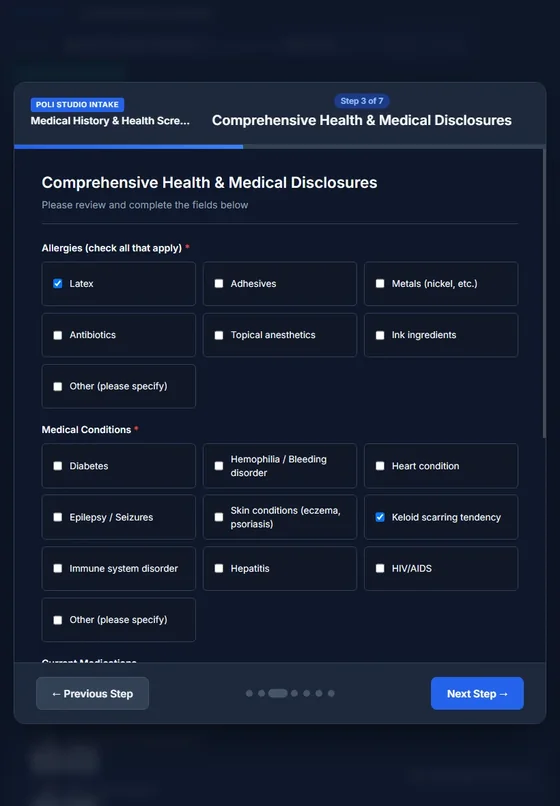
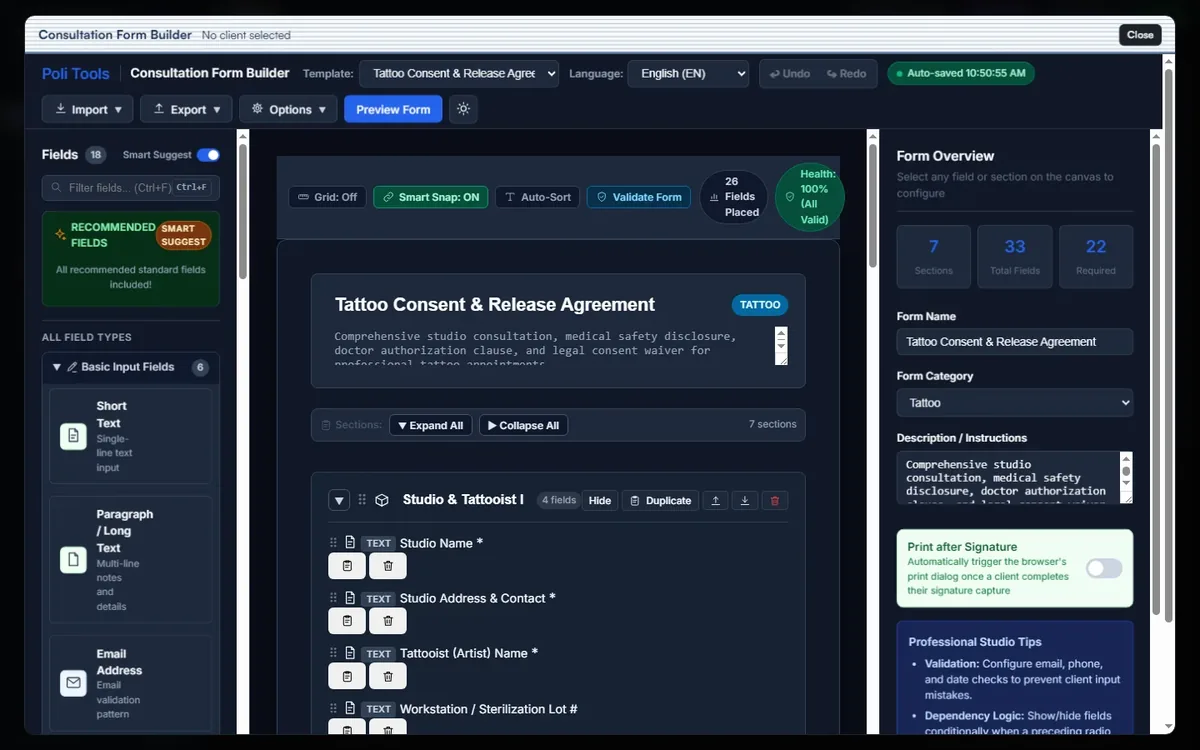
The desk sends a form to a tablet on a stand. The client fills it in, signs with a finger and taps Complete. The form lands on the client's record with every answer, and prints as a laid-out PDF with the signature.
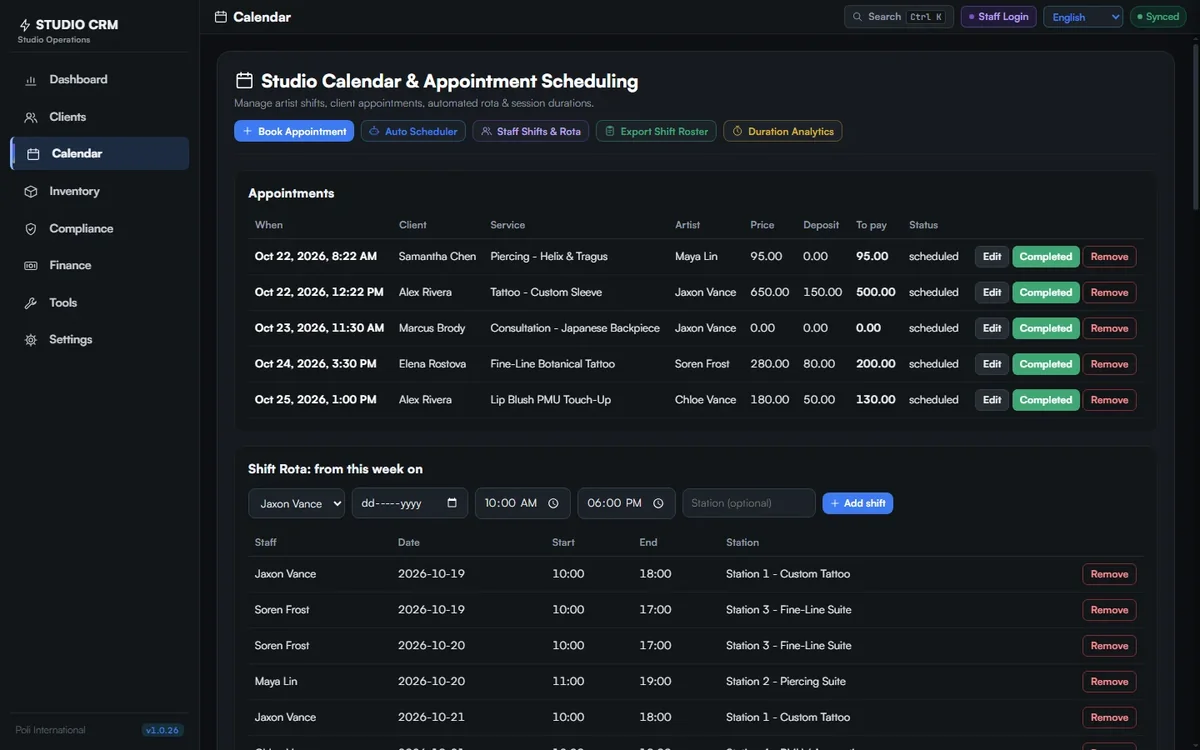
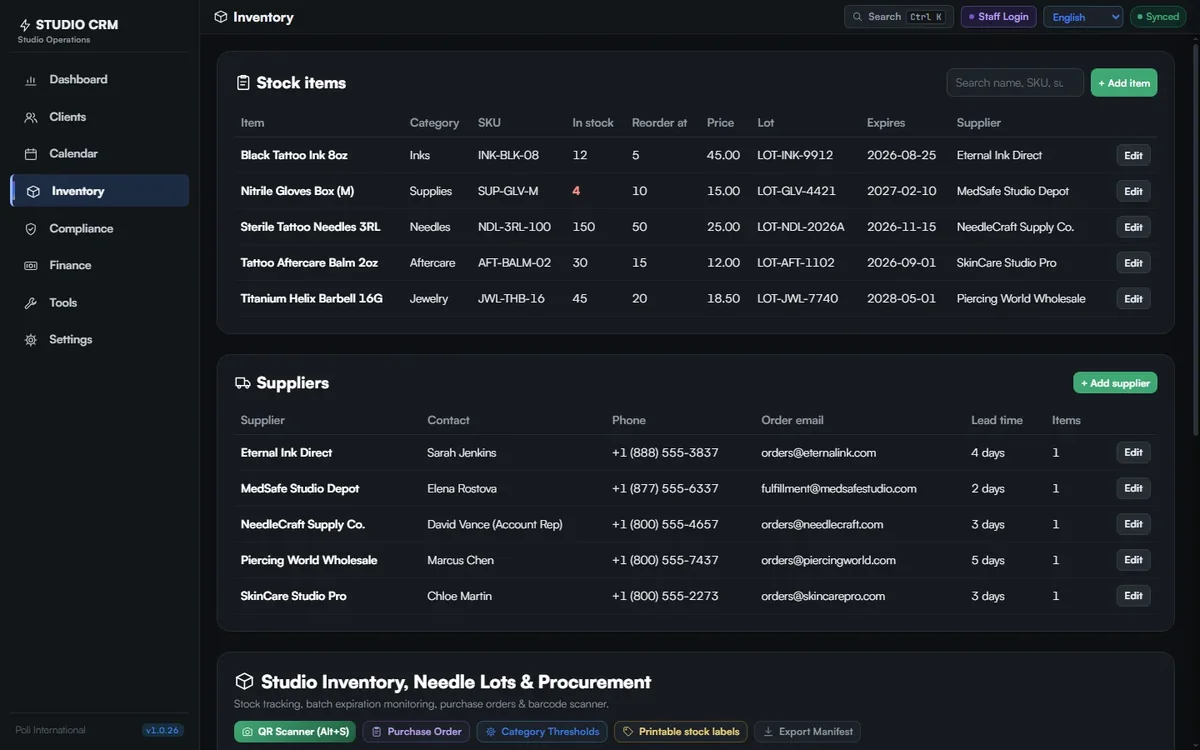
Clients, bookings, forms, stock, compliance and money, from the desk computer or any browser in the studio.
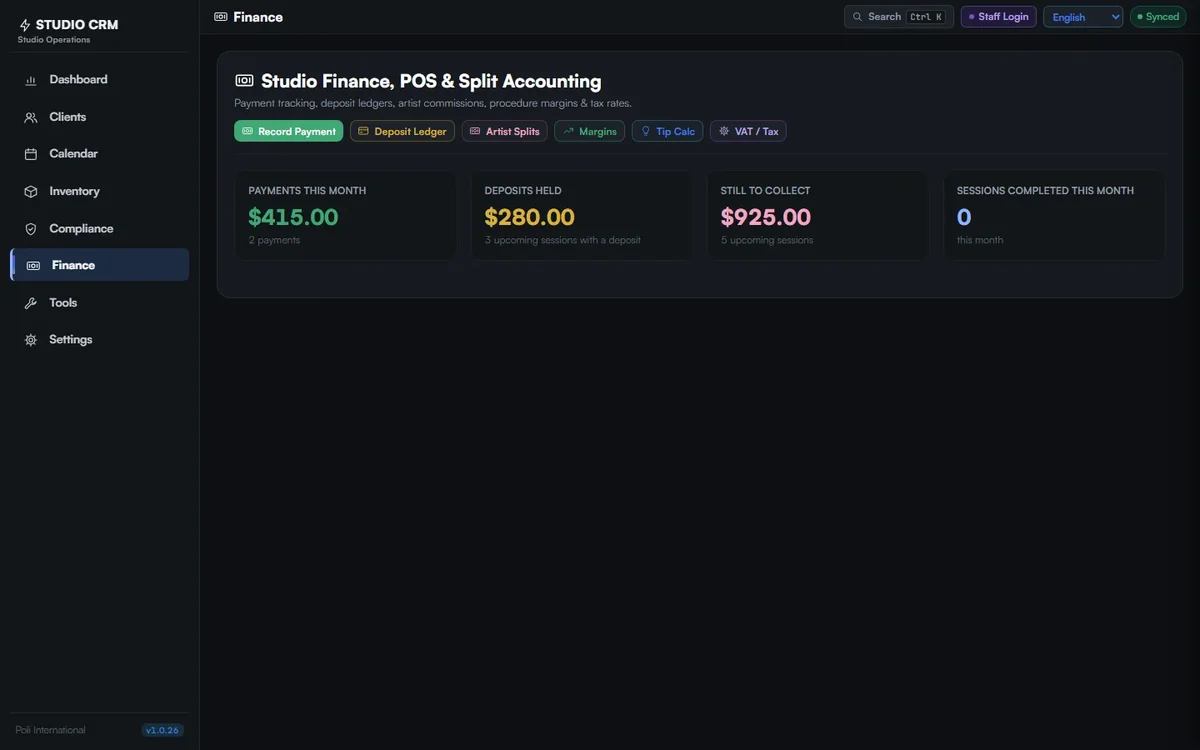
New in version 1.0.35
New in versions 1.0.33 and 1.0.34
New in version 1.0.32
New in versions 1.0.30 and 1.0.31
New in versions 1.0.28 and 1.0.29
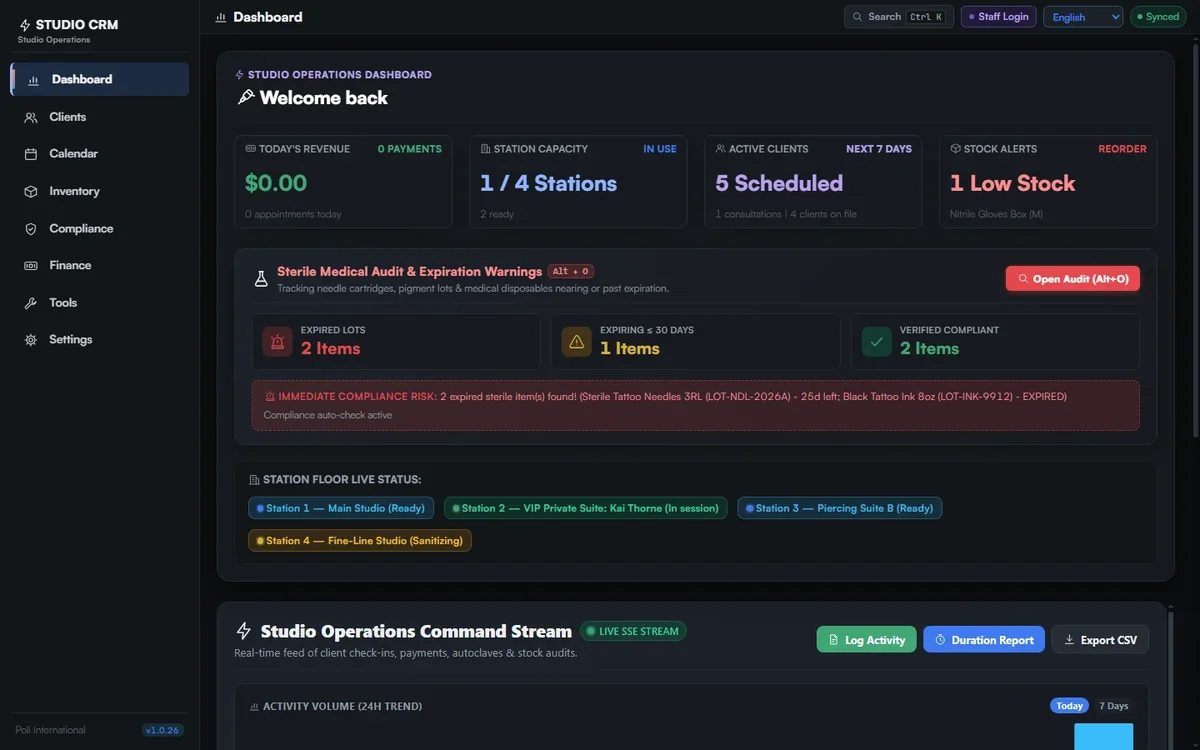
A studio is busy and many hands touch the same screen. Compliance records sit next to it: autoclave cycle log, closing checklist and a sterile lot expiry audit.
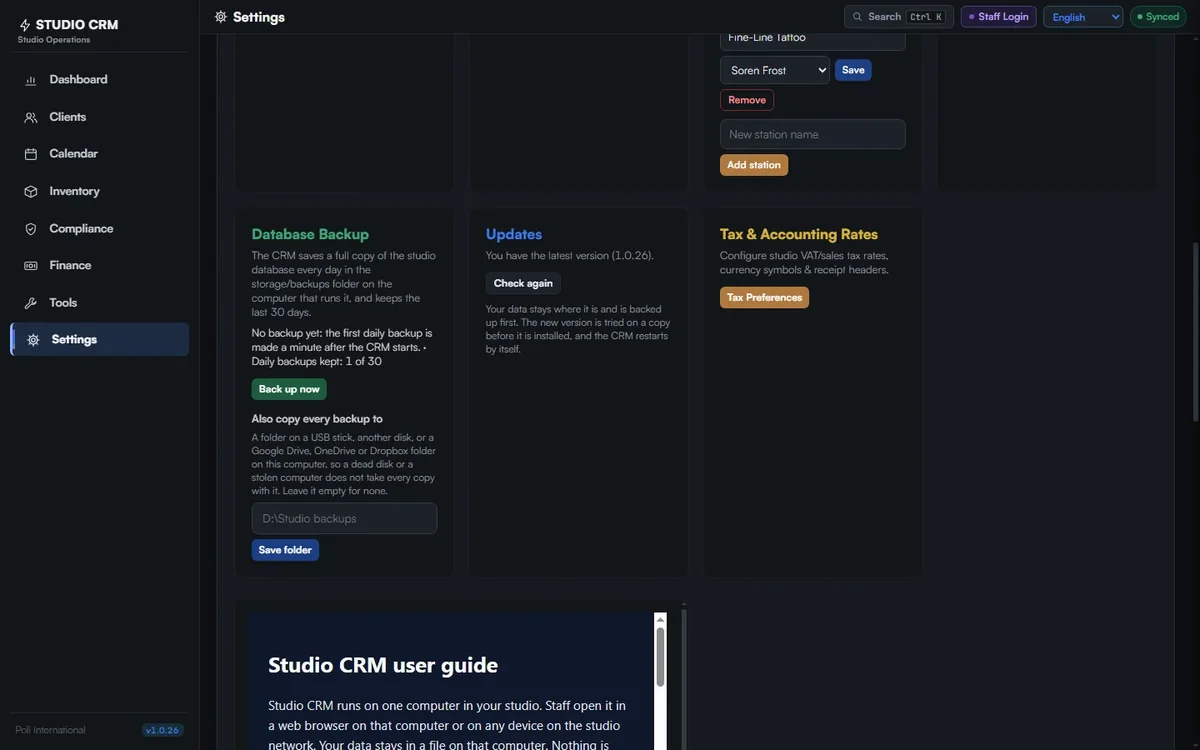
When a new version is out, the menu says update available. One click in Settings: the CRM backs up your database, tries the new version on a copy of your data, and only then installs it and restarts. Your data is never moved, and if anything goes wrong nothing changes.
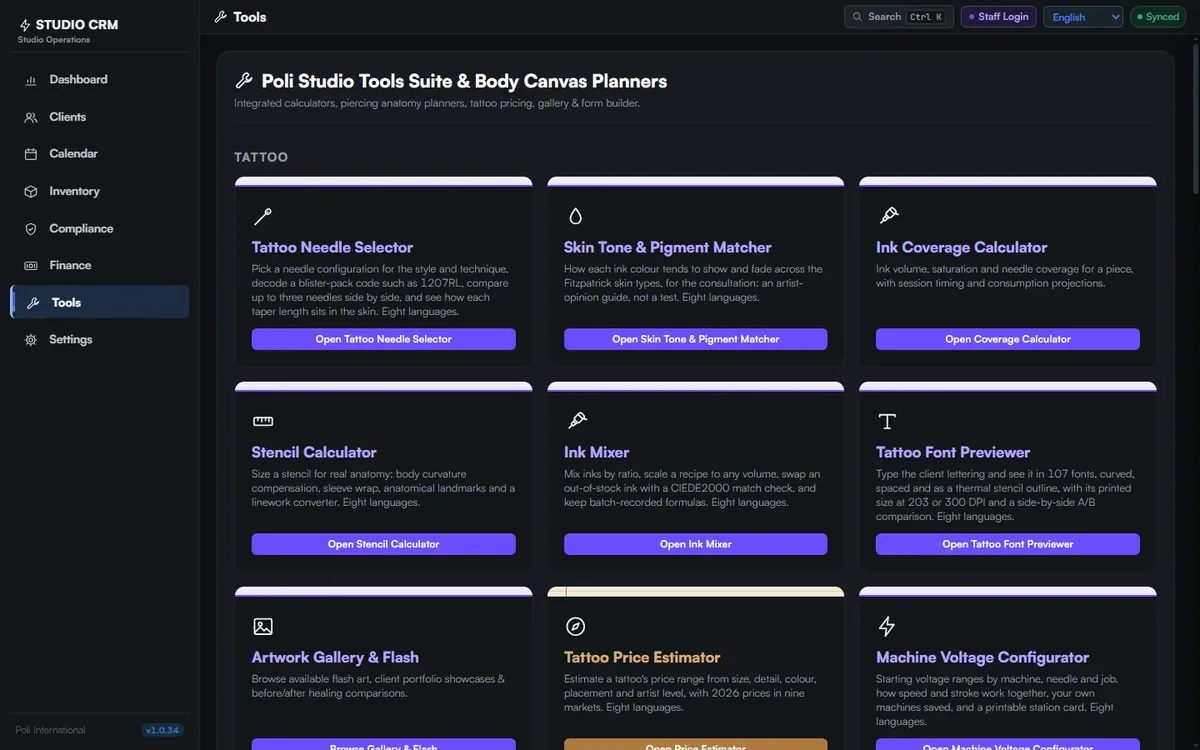
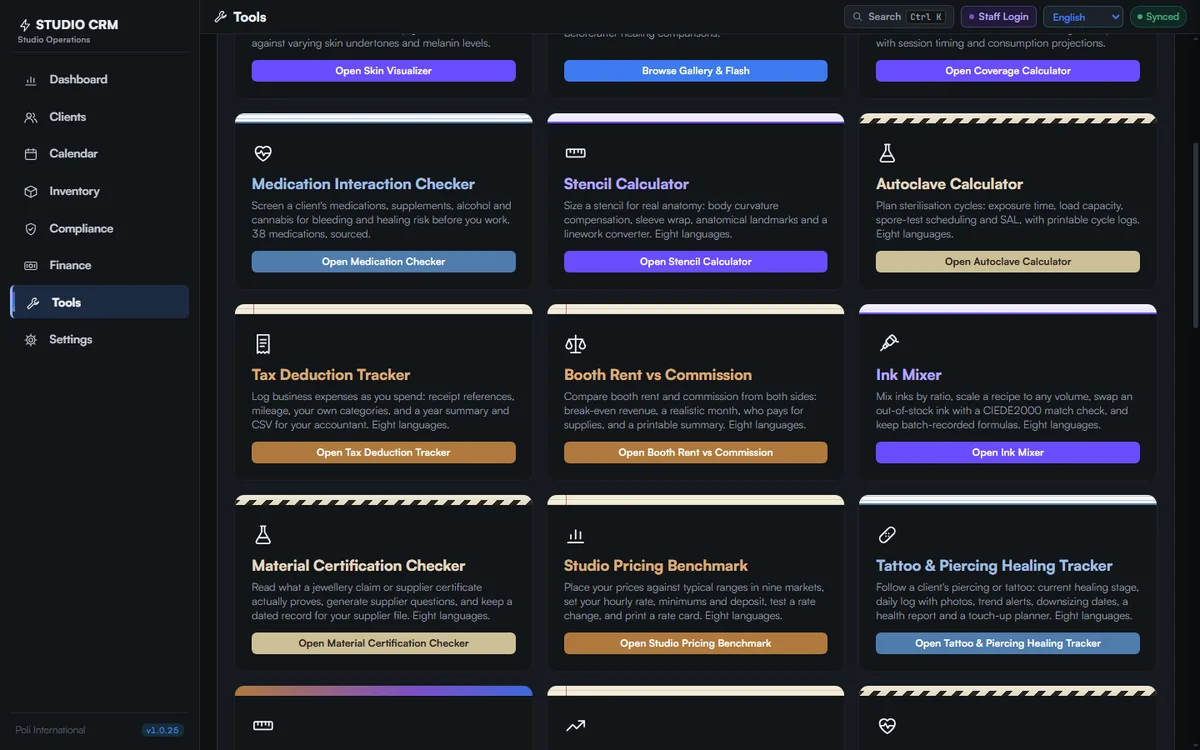
Consent form builder, price estimator, gauge converter, stencil and coverage calculators, autoclave calculator, medication checker, ink mixer, booth rent and tax trackers and more open inside the CRM, and the price estimator, quotes and invoices read your own studio prices.
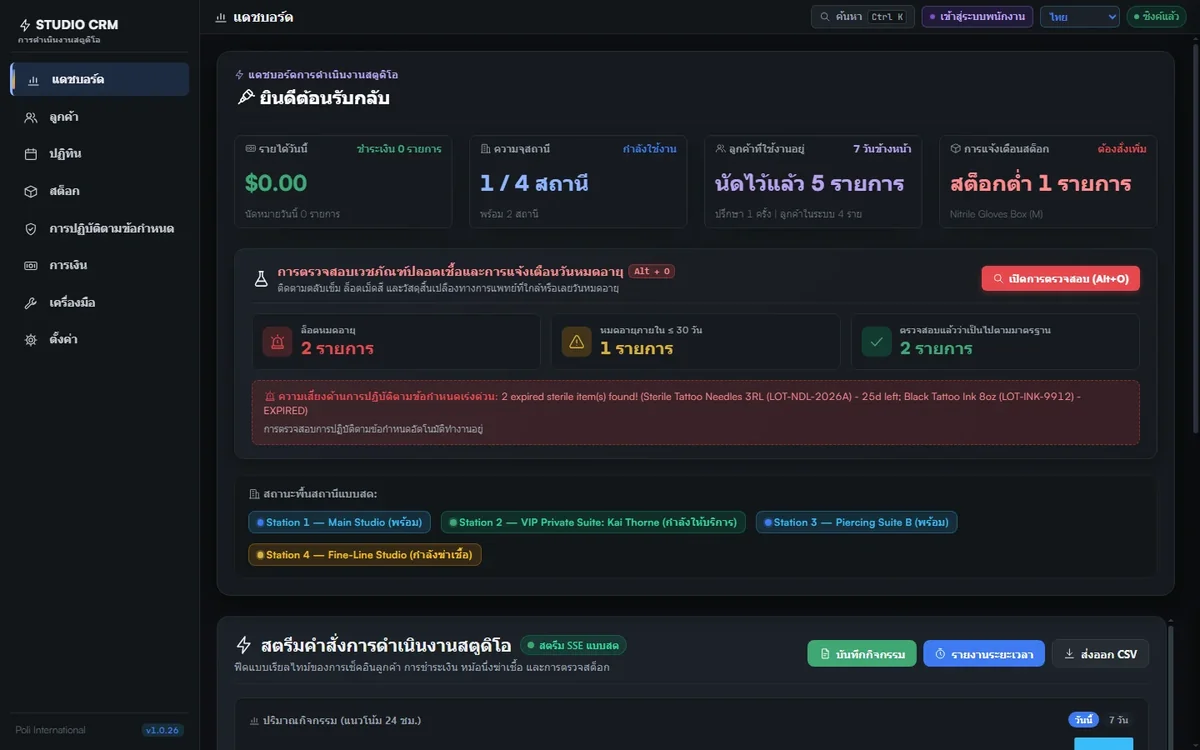
English, Français, Italiano, Deutsch, Español, Nederlands, Português and ไทย. Each person switches from the menu at the top; the built-in tools, the consent forms, the PDFs and the user guide follow.
A fresh install opens with demo data so you can try every screen; one click on Start with an empty studio clears it. Every update is install-tested on Windows, macOS (Apple Silicon and Intel) and Linux, updates itself there through the same starter you double-click, and its buttons are clicked in a real browser before it is released. On a Mac and something looks wrong? Tell us. Full instructions: user guide.
The current version with sample data. Nothing you enter leaves this browser tab.
Yes. There is no subscription, no trial and no paid tier. Download it, install it on your studio computer and use every module. It is open source on GitHub.
In a single SQLite database file on the computer where you install it. Nothing is sent to Poli International or to any cloud service. Staff open the CRM in a web browser on that computer or on any device on the studio network.
To back up the studio, copy that one file. The snapshot button also writes a copy for you.
A Windows, macOS or Linux computer. Download the ready-to-run ZIP for your system, unzip it and double-click Start Studio CRM: your browser opens on the CRM, with nothing else to install. The source code (Node.js 22 or newer) and Docker files are on GitHub for those who prefer them. The step-by-step guide is included in all eight languages.
Every update is installed and tested automatically on Windows, macOS (Apple Silicon and Intel) and Linux, and each ready-to-run ZIP is unpacked and started before it is published. It has not yet been used day to day by a studio on a Mac: if you run it on one, tell us how it goes through the contact page, and if anything does not work we will fix it.
English, French, Italian, German, Spanish, Dutch, Portuguese and Thai. Switch at any time from the menu at the top. The Poli tools inside the CRM open in the same language (Thai falls back to English in the tools that do not have it).
No, and that is deliberate. The CRM prepares aftercare emails, reminders and supplier orders, then opens them in your own email, WhatsApp or LINE with the text filled in. You press send. No messaging account, no per-message fees, no messages sent in your name without you seeing them.
Yes. The live demo on this page runs the current version with sample clients, bookings and stock. What you enter there stays in your browser tab and is gone when you close it. A fresh install opens with the same demo data, and one click on "Start with an empty studio" clears it when you are ready for real clients.
It keeps them in one place: autoclave cycles, spore tests, sanitisation checklists, signed waivers and sterile lot expiry dates. What your local health authority requires you to keep is set by them, so check their rules; the CRM makes those records easy to produce when an inspector asks.
Set the studio password the first time it starts: until a device signs in it gets the sign-in page and nothing else, and five wrong tries make it wait. Give each person their own login with a level (Front desk, Staff or Administrator), and choose an idle lock in Settings. Kiosk tablets sign in with their own password and can only receive and return forms. On a network you do not fully trust, use the https address shown in Settings, and keep the CRM ports closed to the internet in your router or firewall.
In Settings, Updates, click Update now (the menu says "update available" when there is one). The CRM backs up your database, tries the new version on a copy of your data, then installs it and restarts by itself; your data is never moved, and if anything goes wrong nothing changes. Versions older than 1.0.12 update once by hand: download the new ZIP, unzip it into a new folder and copy your data folder across.
Build your own consent and consultation forms from templates, no account needed.
8 languages · EN FR IT DE ES NL PT TH
Open Consent Form Builder →Get inspection-ready for the UK, EU, US or Australia and see what is still missing.
8 languages · EN FR IT DE ES NL PT TH
Open Studio Inspection Readiness Checklist →Work out sterilisation cycles and keep the spore test and batch records inspectors ask for.
8 languages · EN FR IT DE ES NL PT TH
Open Autoclave & Sterilization Calculator →One email a week with our new and upgraded tools for tattoo and piercing artists, plus new free plates for your studio or your own wall. Join now and get 3 plates in 4K, free: you choose a comic, a wall chart and a cutaway.